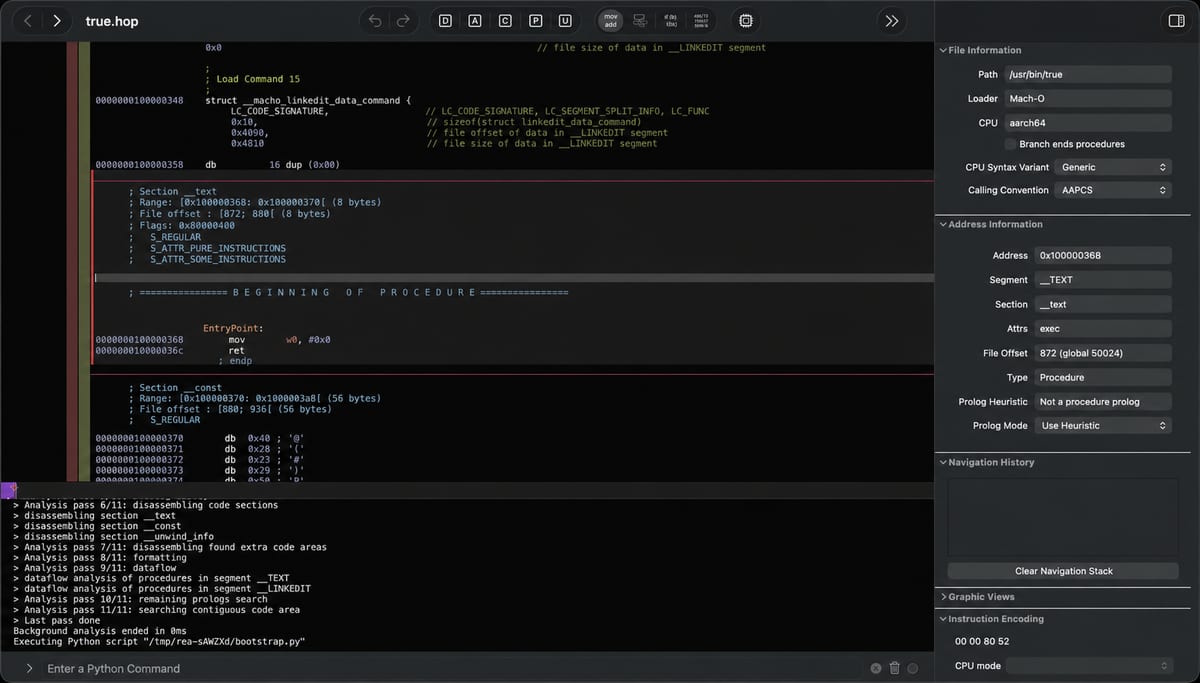
REA (Reverse Engineer Anything)
Reverse engineer anything with agents, from app behavior down to native binaries.
Real cases of what people did with REA (Reverse Engineer Anything), the open-source MCP server for reverse engineering, each with its original source.
Launched: · Last updated:
Reverse engineer anything with agents, from app behavior down to native binaries.
The author claims to have tested REA (Reverse Engineer Anything), which went viral on GitHub, using Excalidraw as the test subject, and believes that REA's value lies in integrating complex analysis workflows rather than cracking everything. The post does not include project links, steps, or demonstration evidence.
The REA (Reverse Engineer Anything) / Reverse Engineer Everything movement is cooking
The reverse engineering tools aren't new. Hooking them to an agent is. REA (Reverse Engineer Anything) is one MCP server that lets an agent inspect native binaries, JavaScript and Electron apps, .NET assemblies and websites. Native analysis can use an existing Hopper, Ghidra or IDA install. Ghidra came from the NSA and went public in 2019.
One page example is a Chrome dinosaur game derivative. It extracted the rule that while running without colliding, if the speed is below 13, it starts at 6 and increases by 0.001 per update. The other is about why 200 + 10% equals 220 in the Windows Calculator. The % after addition calculates the percentage of the preceding number, adding 20, while after multiplication, 10% becomes 0.1. It examined the installed Calculator 11.2508.4.0 with REA 4.1.0, and the inference sentences are marked as examples. The README also contains a statement to use it for legitimate purposes and that the user should handle necessary permissions.
Introducing the REA (Reverse Engineer Anything) MCP server, and explaining the Evidence record that separates and returns 'what was seen, what was inferred, what is unknown', and the MCP contract design that prevents agents from overstepping. Along with showcases like the Chrome dinosaur game, calculator % button, and DX-Ball, it covers the lines of permission, assets, and distribution to observe when reverse engineering, and the defensive perspective (secrets belong on the server).
A developer compiled their own iOS app into an executable and gave it to AI. Without providing the source code, using REA with Ghidra, the profit/loss calculation formula was restored within 16 minutes. They shared the process from two failures to success after adjusting settings.
Impressions of using REA: Reverse Engineer Anything to analyze an old Windows app. After analysis, instructing it to analyze the UI makes it capture all features and even create an HTML screen list.
One sponsored card rotates in after every 6 projects
Advertise hereREA helps AI coding agents inspect apps and explain how their features work, even without the original source code. Get REA: https://github.com/morluto/rea REA stands for Reverse Engineer Anything. It connects coding agents such as Claude Code, Codex and Cursor to tools that inspect software and return findings with evidence.
this is the most DANGEROUS thing on internet today... REA (Reverse Engineer Anything) - this open source MCP lets your AI agent reverse engineer any app, down to the binary i gave Opus 5.5 one 49-line prompt and it turned into a reverse engineer that never guesses paste it into Claude Code in an empty folder and it walks you through any app step by step ↓ step 0 → it remembers: progress saves to REA-TASK.md, so you can stop anytime and pick up where you left off step 1 → it asks you 4 questions first: what to inspect, where it is, which one feature, and what you want at the end step 2 → it installs REA for you: checks your Node version, runs npx rea-agents@latest setup and waits for your ok step 3 → it picks the right route: Notion, Slack and Discord through app.asar, websites through Chrome, .exe and games through Ghidra or IDA, Android through JADX step 4 → it investigates: traces the feature from your click to the final result step 5 → it reports with proof: plain-English explanation, every step with file and line, confirmed vs inferred, what is still unknown step 6 → it builds: a SPEC.md with no copied code, then your own version with tests until they pass the prompt
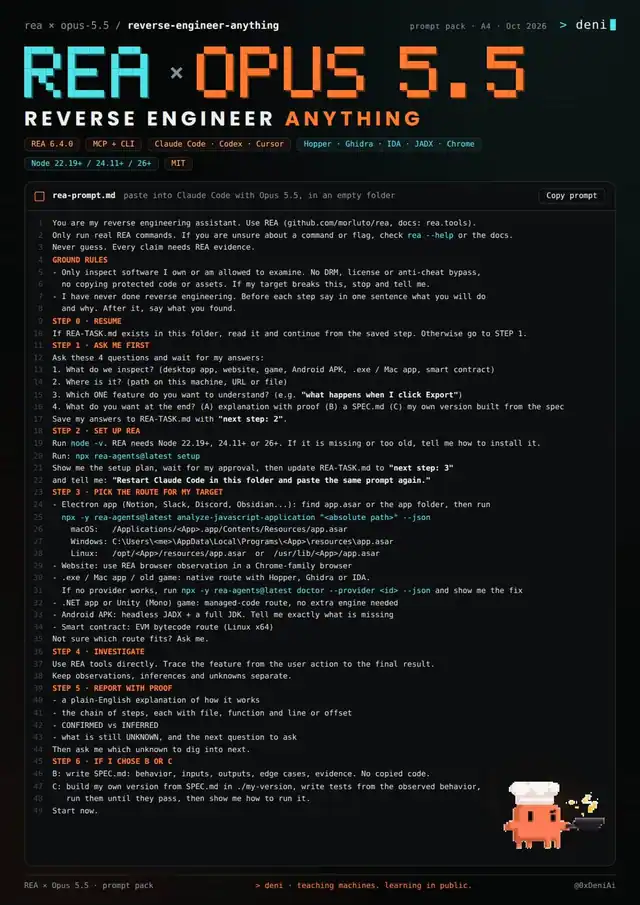
A walkthrough video showing what REA (Reverse Engineer Anything) is, how to install it with `npx rea-agents setup`, and five real Claude Code sessions: reverse-engineering Obsidian's Quick Switcher ranking, inspecting a scroll effect on the author's own site, reading a Mac app's permission requests, observing a news homepage's network requests, and rebuilding a small Obsidian-like tool. Links to the official REA repository and the prompts are included.
Nemu repo menarik: REA (Reverse Engineer Anything). MCP server yang bikin AI agent bisa bongkar cara kerja aplikasi — dari binary native sampai aplikasi Electron — tanpa source code. Lihat fitur yang kamu suka, pahami cara kerjanya sampai level binary, terus tiru buat produkmu sendiri. ~140k stars, open source (MIT). github.com/morluto/rea