TranslatedAbout this case
REA + Claude Code traces a feature through an app
REA (Reverse Engineer Anything) is the free tool that connects your coding agent to an app's files. Its official guide hands you the prompt
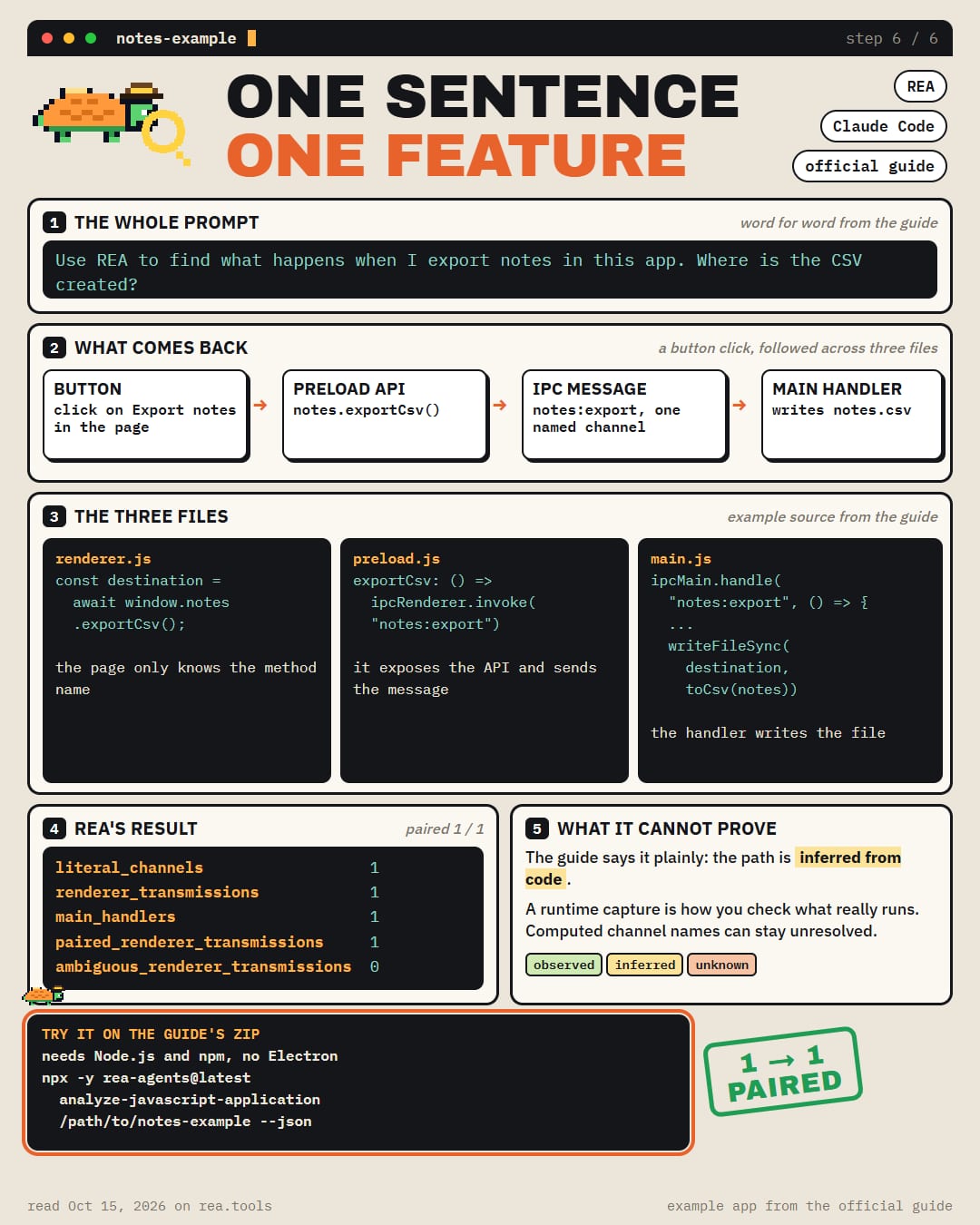
Use REA to find what happens when I export notes in this app. Where is the CSV created?
What the guide's example app answers
→ the button calls an API in the page
→ the API sends a named message (IPC) inward
→ one handler in the main process catches it
→ that handler writes notes.csv to Downloads
REA matched 1 message to 1 handler, with 0 ambiguous. The guide says plainly that the path is inferred from code, and a runtime capture is how you check what really runs
The example is a small zip on https://t.co/IY2xhc73j1. It needs only Node.js and npm, no Electron install
Claude Code is on REA's setup list, next to Codex, Cursor, Gemini CLI and Grok Build
Setup
See the original source for installation instructions.
Original text / README
REA + Claude Code traces a feature through an app
REA (Reverse Engineer Anything) is the free tool that connects your coding agent to an app's files. Its official guide hands you the prompt
Use REA to find what happens when I export notes in this app. Where is the CSV created?
What the guide's example app answers
→ the button calls an API in the page
→ the API sends a named message (IPC) inward
→ one handler in the main process catches it
→ that handler writes notes.csv to Downloads
REA matched 1 message to 1 handler, with 0 ambiguous. The guide says plainly that the path is inferred from code, and a runtime capture is how you check what really runs
The example is a small zip on http://rea.tools. It needs only Node.js and npm, no Electron install
Claude Code is on REA's setup list, next to Codex, Cursor, Gemini CLI and Grok Build